How to text a big list from your own phone without burning the SIM
This week in Sparetext: campaigns that go slowly on purpose, both SIMs of a dual-SIM phone, and an AI agent that can build a campaign but never press Launch.
Sparetext
5 min read · Nov 2, 2026
On Saturday someone who runs events asked us a simple question. They had ten years of phone numbers from people who came to their shows, a big concert coming up, and a pile of Android phones. Could Sparetext text all of them?
Until that evening, the honest answer was "please don't". Not because the phones can't. Because carriers would notice.
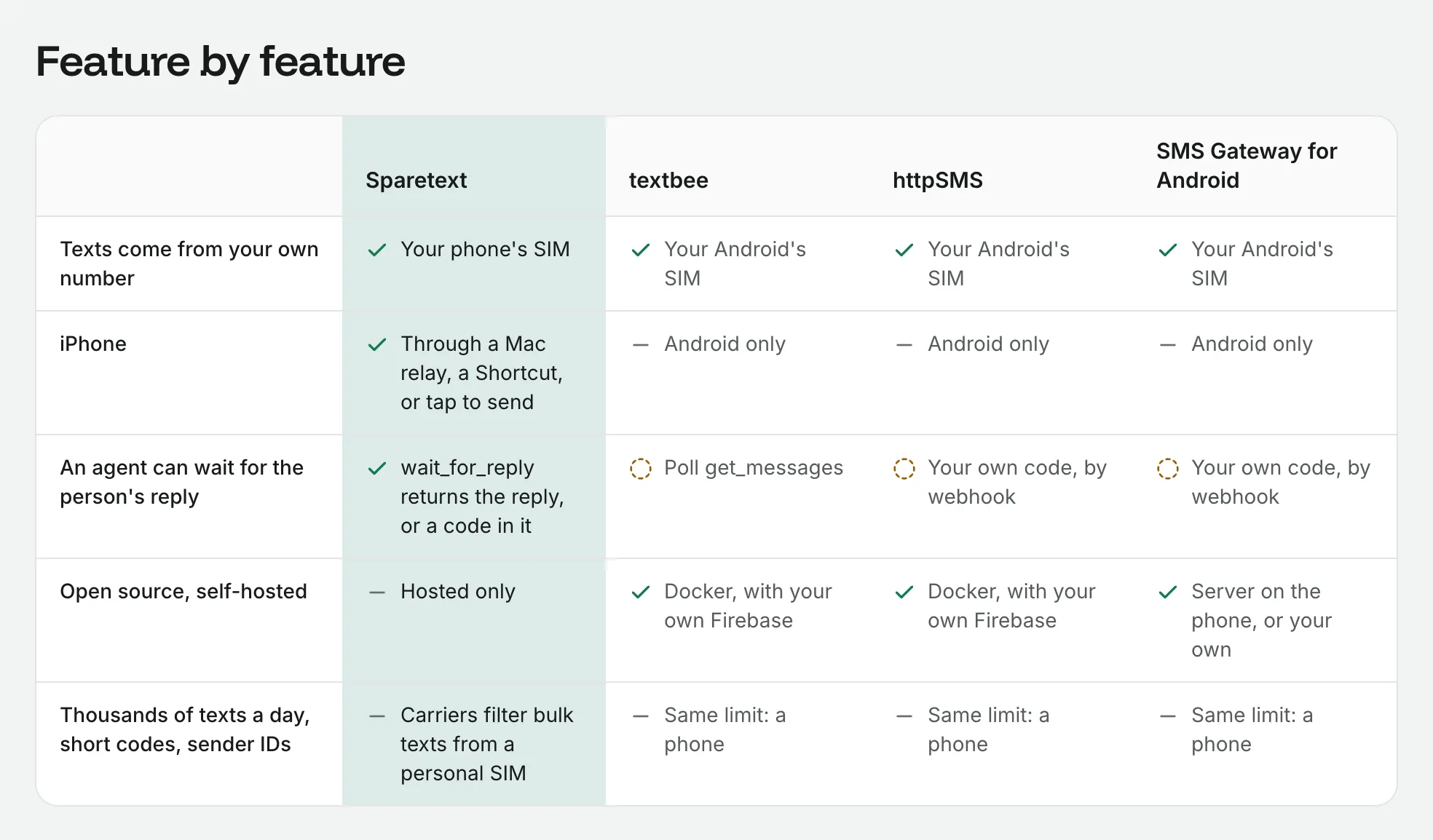
A personal SIM is meant for people texting people. Carriers watch for software sending from it (A2P traffic, in their words), and a SIM that suddenly texts thousands of strangers looks like a SIM box. Nobody publishes where the line is. Cross it and the SIM gets filtered or blocked, and for most of our users that SIM is their real number.
So this week we built campaign mode, and then made both SIMs of a dual-SIM phone count. Here's what changed and why.
Campaigns go slowly on purpose
Campaigns live under Campaigns in the dashboard and send from your Android phones. You add the list (numbers, names, and when each person last came), write the text, pick the SIMs and send yourself a test. Sparetext then draws the plan day by day.
The pace is low on purpose. A SIM sends 100 SMS parts on its first campaign day, then 1.5 times more after each healthy day, up to 400. Never more than 60 an hour, at least 15 seconds apart, and only between 09:00 and 20:00 in the recipients' own time, or tighter where their country has its own rule. It counts SMS parts, because carriers do, so over the first four days that's 815 parts a SIM. Ten SIMs make 8,150.
The first wave is 100 people or 5% of the list, whichever is more. Then it waits an hour and looks at what came back, because problems show up in the first hundred. Nobody gets more than one campaign text a week, across all your campaigns.
Old numbers get asked first
Here's the thing about ten years of numbers: some of them don't belong to those people anymore. A stranger who gets your concert invite replies "wrong number" or STOP, and carriers count both.
So people whose last event was more than five years ago get a short question first. Only a YES gets the campaign text, and no answer in three days means they're never sent it. People from two to five years back get one extra line you write, like the event they came to.
It slows down by itself, and says why
While it runs, a campaign watches five signals: carrier refusals, failed delivery reports, delivery reports that never arrive, STOP replies and wrong-number replies. Each has a level for a warning, one for half speed and one that pauses the campaign. Slowing or pausing needs 50 texts and two events behind it, so one grumpy reply doesn't stop everything.
When it does act, it says so in plain words with the numbers, on the campaign's page and by email, and the Android app puts a notification on the phone involved. A real one reads:
Paused: 2.4 % of people texted STOP in the last 500 (good lists stay under 1 %).
If a phone goes offline or a SIM loses service, only that SIM pauses, and the people it hadn't texted yet move to your other SIMs. But a carrier signal pauses the whole campaign: handing a filtered list to a fresh SIM is what carriers call snowshoeing, and they're right to call it spam.
In the US, Canada and India, business texts from personal SIMs are supposed to be registered. Campaign mode still works there, but before launch it shows that country's rules in plain words, with links to register, and you confirm you've read them and take the responsibility.
Your agent can build it, but only you press Launch
Also since Saturday, an AI agent connected over MCP, or a script with an API key, can build a campaign: the list, the words, the SIMs and the test text to you. It can watch it, pause it and stop it.
It can't launch one. When it asks, you get an email and a notice on the campaign, and nothing goes out until you open it, read the country rules and press Launch yourself. Launch starts the exact words you read. If the agent changes them while it waits for you, its request is withdrawn, and the log says who changed what.
An agent is great at the boring part, like cleaning up a spreadsheet of 4,000 numbers. Texting 4,000 people is a decision for a person.
Two SIMs, two lines
On Sunday, a question we should have asked sooner: is a phone with two SIMs one phone or two? Carriers filter per number, so for sending, it's two. Now Sparetext treats it that way everywhere.
With Android 1.8.0, a dual-SIM phone sends from both SIMs, a share each, eSIM included. The SIM is picked when the phone takes the text: first the SIM that person last texted with, so they hear from a number they know, then a SIM from their own country, then whichever SIM has sent fewer today.
Each SIM has its own switch and its own limits on the phone's page. Keep your personal number quiet by switching it off. A SIM that fails three texts in a row for lack of service pauses for six hours, and the text goes from the other SIM instead of failing. To go back to one SIM per phone, turn off Settings › Sending › Send from every SIM.
One honest catch: two SIMs don't make a phone faster. Android's limit of 30 SMS parts a minute counts per app. What you get is two numbers that each carry half, each further from the line. Your plan still counts it as one phone.
And the smaller things
- A second full security review, with its fixes in web 1.13.0. A send-only key can no longer read your received texts, for one.
- The first time you reset your password, it confirms your email and sends you a list of the keys, apps, webhooks and phones that can use your account.
- Sparetext for Mac 1.3.0 is notarized by Apple, so the download opens like any other app.
Try it on a small list first
If you have a list of people who know you, open Campaigns in the dashboard, add twenty of them, and send yourself the test text. Read the plan before you press anything. No Android phone paired yet? Start here.
what's newcampaignsdual simandroid
Try it with the phone you have
Free for 1 phone and 300 texts a month. Pair it in about two minutes.
Responses
Sign in or create an account to respond.