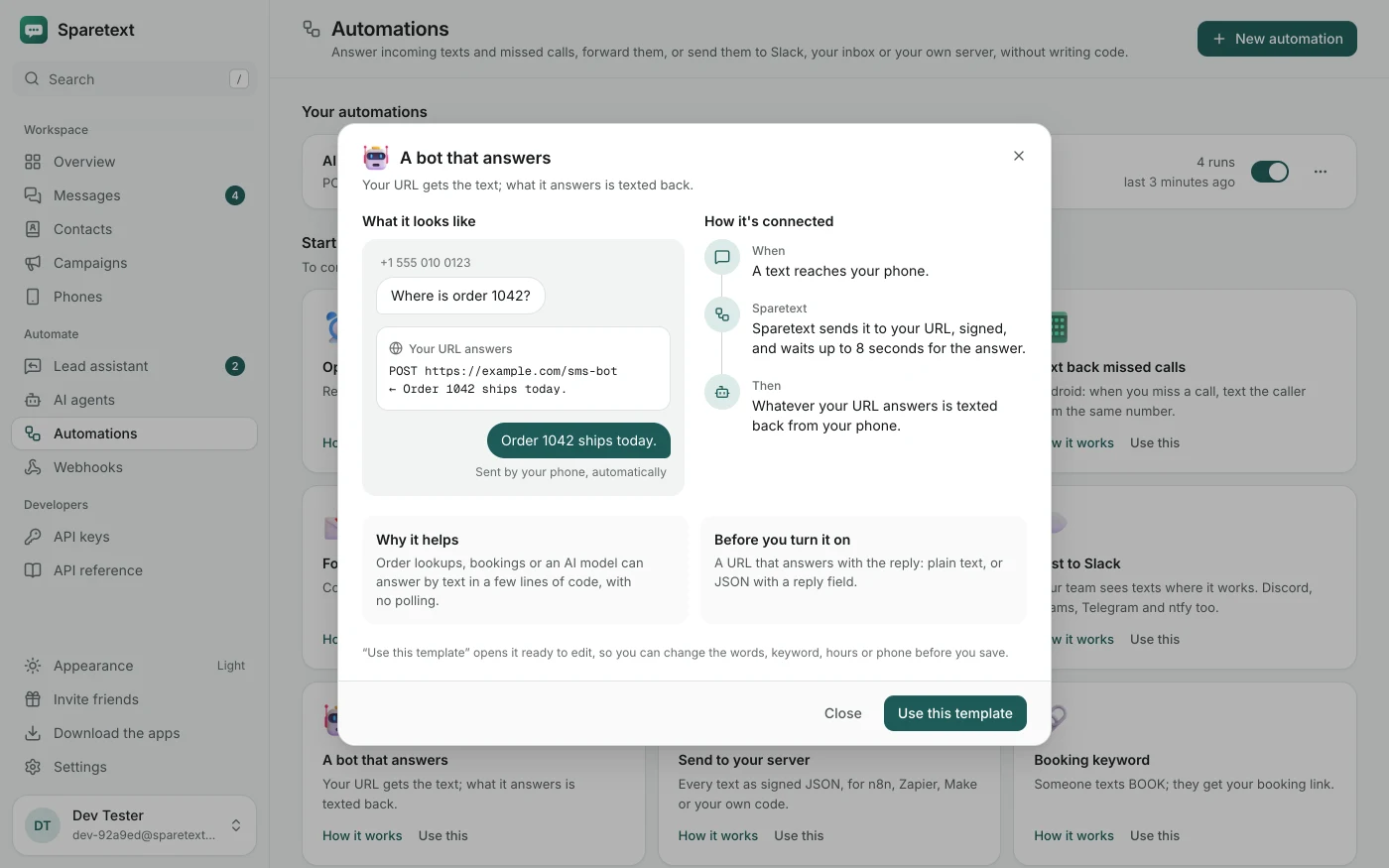
AI lead follow-up by text: every new lead answered in seconds, from your own number
The lead assistant answers each new lead from your phone, in your words, waits a minute so you can jump in, and stops for good the moment you text the customer yourself.
Sparetext
6 min read · Nov 26, 2026
A new lead comes in at 10:42. You're up a ladder, or under someone's sink, or driving, and you see it at 11:30. If you pay for leads you know how that goes: the customer asked a few companies, and the first one to answer got the first real conversation. Sales people call it speed to lead.
So we built the lead assistant, an AI lead follow-up that works by text. When a lead provider texts your phone about a new customer, it texts that customer back from your own number within seconds, in your words. It answers their first questions, asks yours, and the moment you text them yourself, it stops for good.
What the customer sees
A text from you. Not from a short code or a service they've never heard of, but from the number you'll call them from later. It lands in their normal Messages app, and every text the assistant sends shows up in yours too, so you can read the whole conversation on your phone like any other.
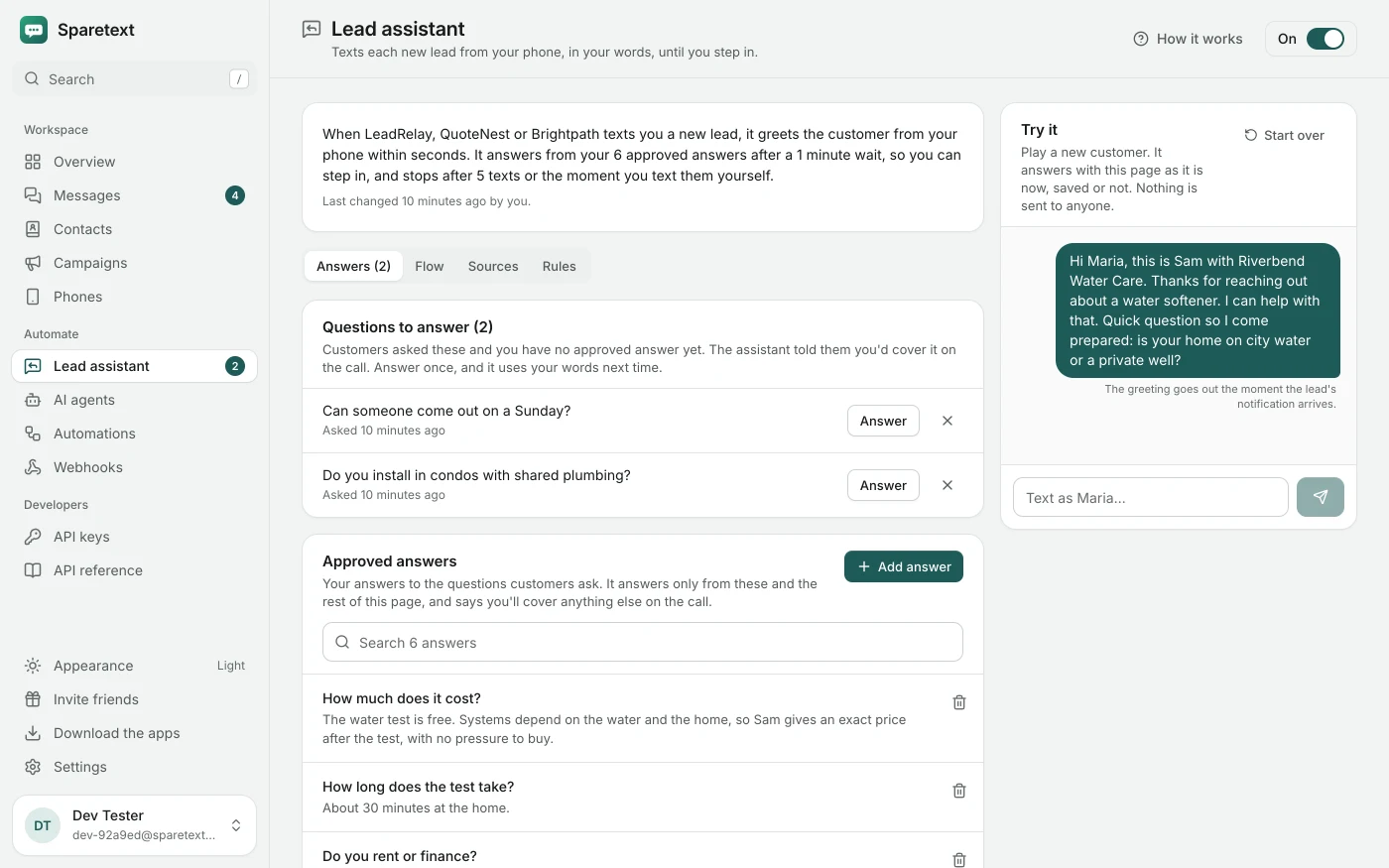
In the demo above, a lead service texts the phone about Maria, who asked about a water softener. A few seconds later Maria gets this, from Sam's own number:
Hi Maria, this is Sam with Riverbend Water Care. Thanks for reaching out about a water softener. I can help with that. Quick question so I come prepared: is your home on city water or a private well?
The name, the request and the first question were filled into Sam's own first text. Nothing in it was made up by a model, and that's on purpose: the first text is the one you most want to read exactly as you wrote it.
How a lead turns into a conversation
- A lead provider texts your Android phone about a new customer, the way it already does.
- The assistant knows that sender, because you added it on the Sources tab with one of its texts. It reads the customer's name, number and request out of it.
- Within seconds your phone sends the customer your first text.
- When they reply, it waits a minute (you pick anything from 30 seconds to 10 minutes) so you can jump in first. Two quick texts in a row get one answer.
- Then it answers from your approved answers and asks your next question, one a text, skipping anything they already told it.
- When they've answered your questions, picked a time or asked for a call, or it reaches its last text, it sends your hand-off ("Sam will call you shortly") and the conversation is yours.
It sends five texts to a lead at most, the first text and the hand-off included, and you can set it lower. A lead that comes in at night gets its first text in your phone's sending hours, not at 3am.
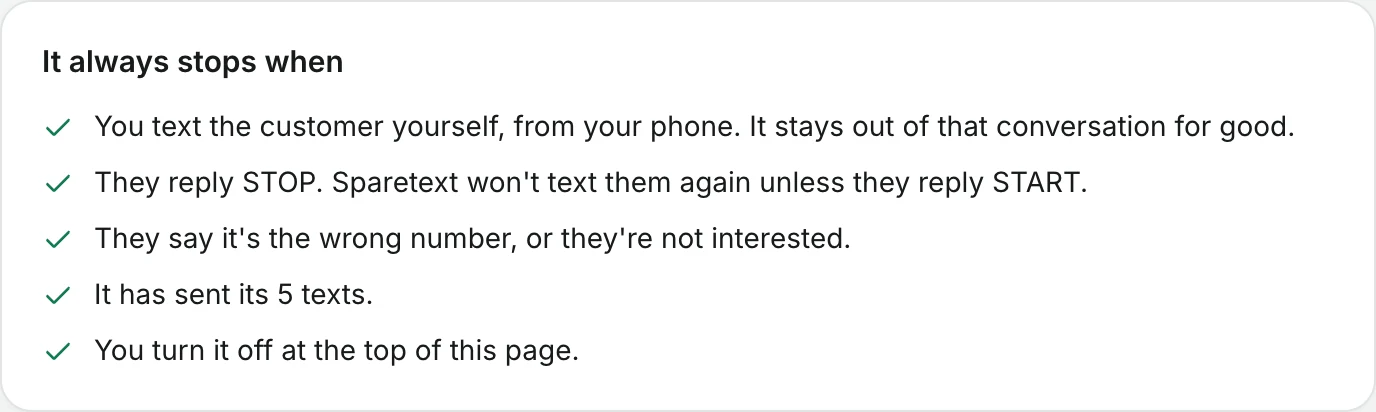
The moment you text, it's out
This is the part we cared about most. The worst thing an assistant can do is talk over you. You text the customer "I can come Thursday", and a second later your own phone sends them a canned question. Now you look like a robot, and kind of a rude one.
So every text the assistant queues carries a flag. If a text you typed to that customer reaches Sparetext while the assistant's answer is still waiting, we cancel the answer in that same sync, before your phone can pick it up. From then on it stays out of that conversation for good.
There's one honest gap. A text your phone has already taken goes out in the next few seconds, and a text you type reaches us at your phone's next check-in. That's the other reason for the minute's wait: it gives you time to read, think and type before it says anything.
It only says what you approved
An AI that invents a price is worse than no AI at all. So the assistant answers from a list you write: up to 200 approved answers, each one a question, your answer and, if you like, a link to a video or a page on your site. It may shorten your words to fit a text, but it never adds facts.
It never gives prices, guarantees or health claims anyway, and you add your own never rules, one a line. The rules that matter most aren't only in the prompt. They're checked in code: an answer that names a price, carries a link you didn't approve or runs longer than two texts is thrown away, and your own scripted answer goes instead.
Questions it couldn't answer come back to you
Customers will ask things you didn't think of. Can you come on a Sunday? Do you work in condos? When that happens, the assistant tells them you'll cover it on the call, and the question lands on your Lead assistant page under Questions to answer, without the customer's name.
You answer it once, and from then on it uses your words. Honestly, after a couple of weeks that list is the best picture you'll have of what your customers actually want to know.
Try it before a real customer does
Next to the settings there's a Try it chat. You play a new customer, and it answers exactly as it would with the page as it is now, saved or not. Nothing is sent to anyone. If it writes a reply you like, you can save it as an approved answer right there.
Your AI agent can keep it up to date
If you already use Claude or ChatGPT with Sparetext, it can look after the assistant too. Six tools on our MCP server read and change it: add or remove an answer, dismiss a question, try a conversation. Tell it "we now do Sunday visits, add that to the lead assistant" and the page shows who made the change, like "Last changed 2 minutes ago by Claude".
We tell every agent to change those words only when you ask, with your own facts, and never because a customer's text says so. Texts from customers are written by other people, so an agent treats them as information, not orders.
What it costs
The lead assistant is an add-on to Pro, which is $12.74 a month in the US. Each answer its AI writes and sends costs half a cent, charged to your Pro card once a month, or every two weeks if you'd rather. Your first texts, your scripted answers and everything in Try it are free.
So 300 AI answers in a month comes to $1.50. The texts themselves go out on your own phone plan, like any text you send.
One thing to be plain about: it isn't a switch in the dashboard yet. We set it up for you on request, on your Android phone, and agree the details with you before anything is turned on. After that the Lead assistant page is yours to change whenever you like.
Who it's for, and who it isn't
- For businesses that pay for leads and get them as texts, where the first call often decides the job.
- Android only, for now. It needs a phone that can read the lead provider's texts and see what you type, and today that's Android.
- Leads by text. If your leads only arrive by email, it can't read them yet.
- Not for lists. It only texts someone a lead provider just told you about, five texts at most. For one message to many people who know you, use a campaign.
- Not for your personal inbox. It only talks to new leads. If it's your own phone that's drowning in texts, Claude or ChatGPT can sort, draft and follow up for you today, on any plan: auto reply to text messages with AI shows how.
Want one? Write to hello@sparetext.dev with the lead services you use, and we'll set it up with you.
ai lead follow uplead assistantspeed to leadai smssmall businesshome services
Try it with the phone you have
Free for 1 phone and 300 texts a month. Pair it in about two minutes.
Responses
Sign in or create an account to respond.